Optimizing Breath of the Wild on Cemu
Disclaimer: This guide assumes you have legally dumped your own game files. The specific setup steps below are for educational documentation of the standard repack workflow.
Emulating Wii U titles on modern hardware should result in an experience significantly better than the original console. However, default settings often leave the game looking blurry (720p), washed out, or running at incorrect speeds.
This document outlines the "Golden Settings" to achieve a stable 4K 60FPS experience without breaking game physics or visual style.
1. Installation & Setup
For this specific workflow, the setup involves a repack to simplify the initial file management.
- Torrent Client: Download and install a client like qBittorrent.
- Game Files: Download the FitGirl Repack mirror which contains the pre-configured game files and Cemu emulator.
- Installation: Run
setup.exe.- Note: If the installer vanishes or fails to launch, check Windows Defender. It often falsely flags the installer; you may need to "Unquarantine" the file or temporarily disable real-time protection.
2. Core Configuration (Vulkan)
The most critical change from default is the Graphics API. OpenGL is stutter-prone on Windows; Vulkan is mandatory for smooth performance.
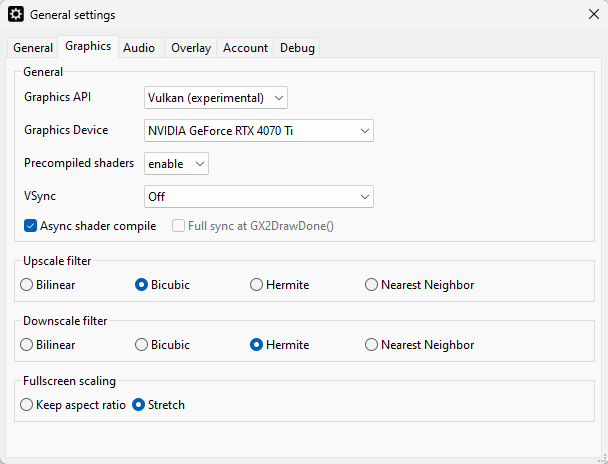 Sidenote: Switching to Vulkan, enabling Async Shader Compile and setting the upscale filter to 'Bicubic'
- Graphics API: Set to
Vulkan. - Async Shader Compile:
Enabled. This eliminates the "stutter" when new effects load for the first time. - VSync:
Off(We will handle frame pacing via Mods).
3. Visual Fidelity
By default, Cemu mimics the Wii U's internal 720p resolution and "foggy" color palette. We use Graphics Packs to override this pipeline.
Resolution
Navigate to Edit Graphics Packs -> Graphics -> Resolution.
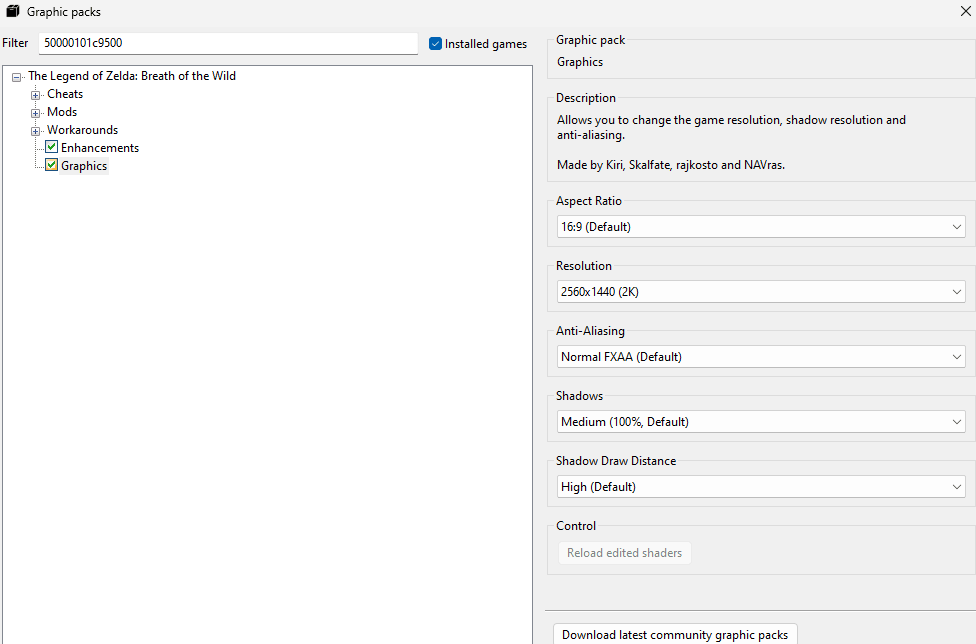 Sidenote: Setting the resolution to our monitor's native size.
- Active Preset: Your monitor's native size.
- Important: The game's menu might still render at 720p. This is normal; only the world geometry and textures are upscaled.
Clarity
Navigate to Enhancements -> Clarity.
- Preset:
Serfrost's Preset (Neutral). This removes the yellow distance fog without oversaturating the colors.
4. The Physics Trap (FPS++)
The Breath of the Wild engine is hard-coded for 30 FPS. Running it higher without patches causes the game logic to speed up.
We use the FPS++ mod to decouple game logic from frame rate.
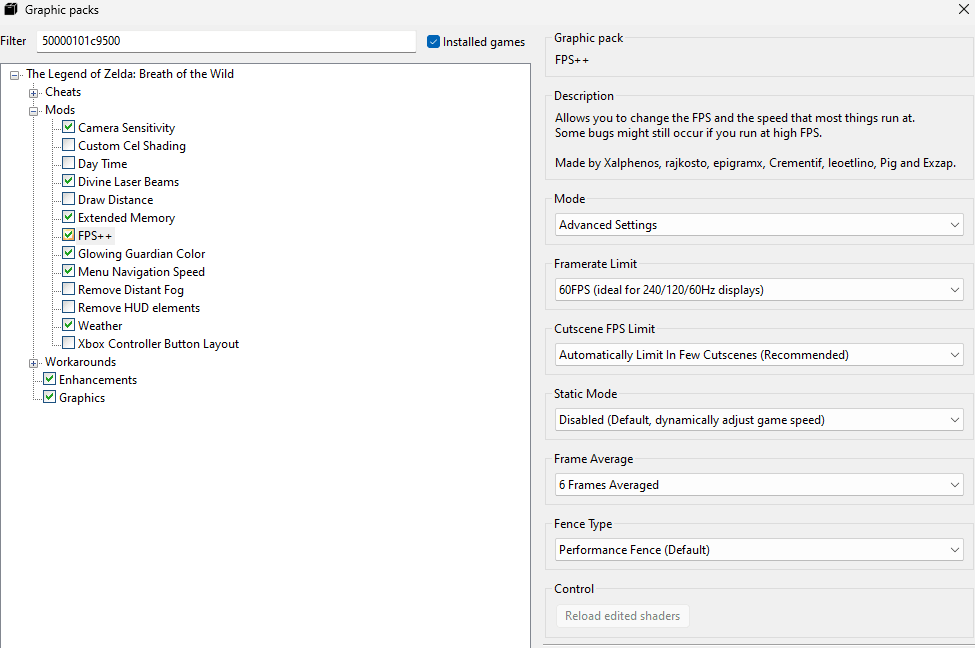 Sidenote: Setting the limit to 60FPS is crucial for physics stability.
- Framerate Limit:
60FPS.- Warning: While 120Hz+ is possible, the physics engine degrades rapidly above 60. Menu navigation becomes erratic, and shield surfing physics break. 60 FPS is the recommended maximum for a glitch-free playthrough.
- Fence Method:
Performance Fence. (This replaces the oldGX2SetGPUFencehack found in older Cemu versions).
5. More
We're done with the essentials! From here, you can explore additional enhancements.
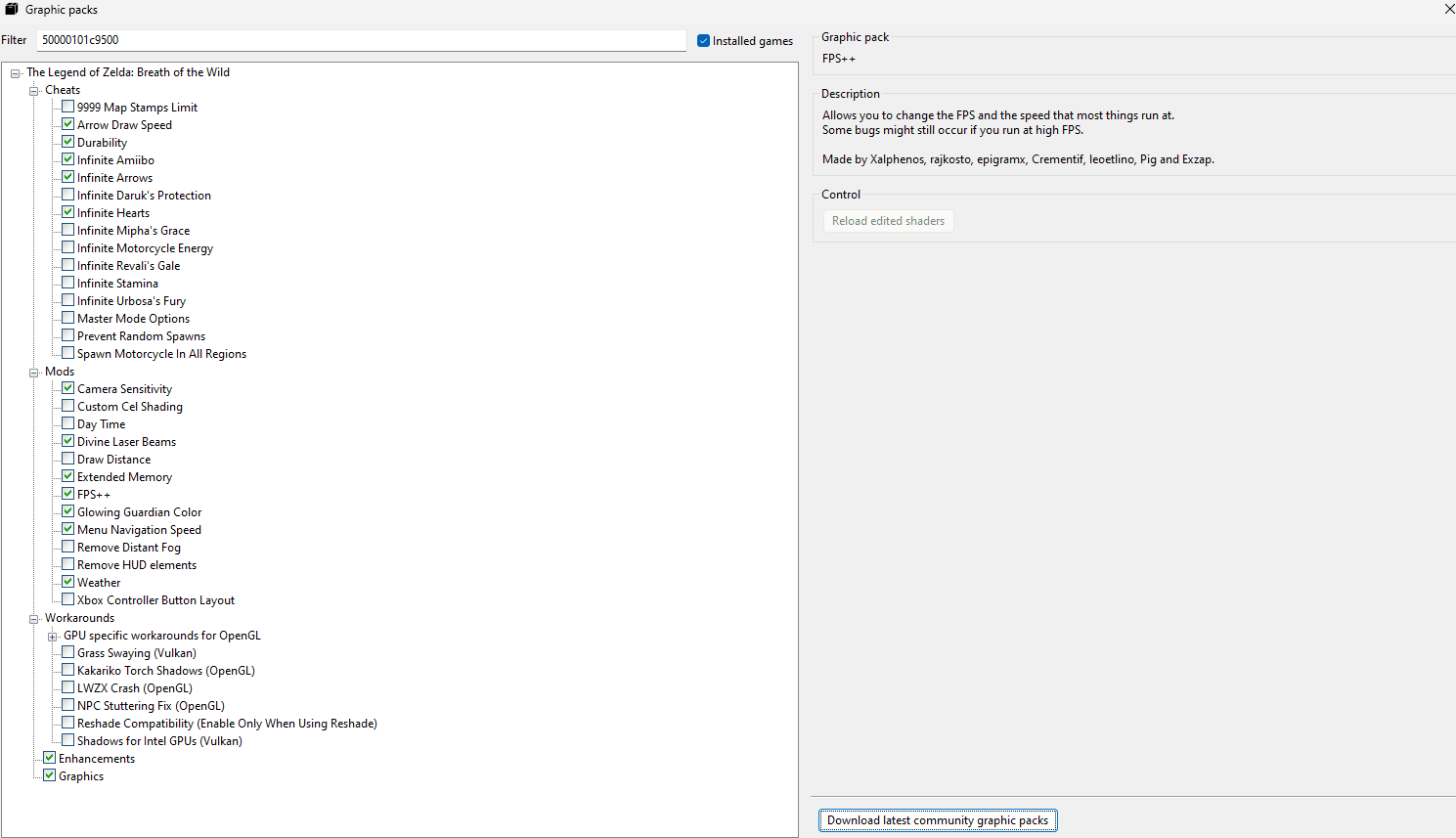 Sidenote: Feel free to copy my additional settings.